Monitored accounts, contracts, recurring billing, technician work orders and event log. One system for alarm, CCTV, access control and monitoring companies.
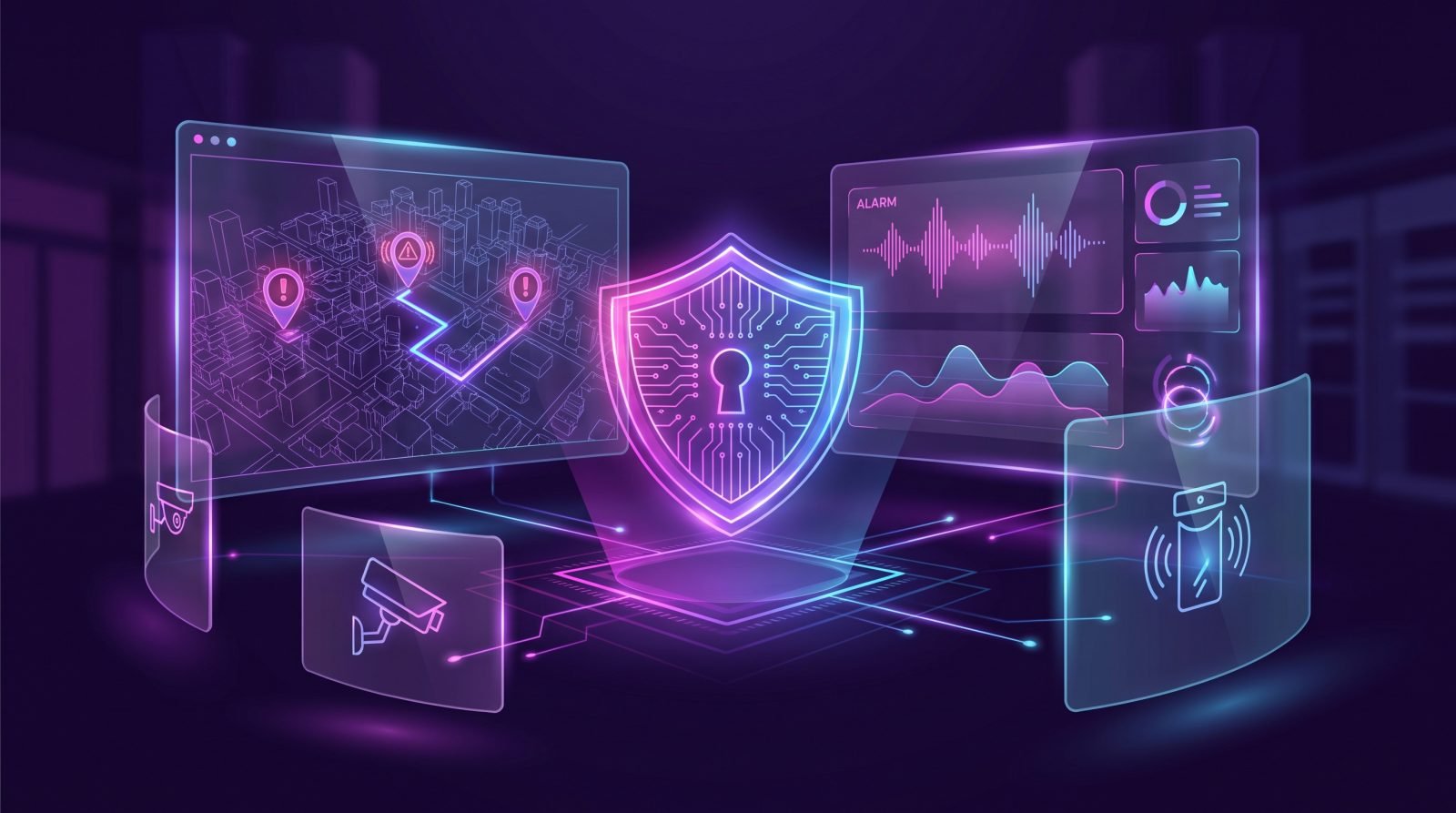
An alarm company lives on the monthly fee: hundreds of accounts to bill, systems to install and maintain, events to handle and report. When all of that runs on spreadsheets and chats, payments get missed, services are forgotten and the customer does not know what they are paying for. The system puts the account base, billing and field work in order.
Designed for monitored alarms, CCTV, access control, electric fences and guard services.
Each client with its locations, contract, monitoring plan, installed equipment (brand, model, zone) and emergency contacts.
Monthly fees per account, service charges, automatic reminders, card or bank-transfer payment and delinquency control.
Installations, maintenance and failures turned into orders with priority, assigned technician, route and photo evidence.
Alarms, false alarms, openings and closings, patrol visits and calls; monthly report per account for the client.
Panels, sensors, cameras and parts: what is in stock, what was installed at each account and what is under warranty.
Clients see their statement, pay online, check events and reports and request service without calling.
Electronic security companies have an enviable business model: recurring revenue, clients that stay for years and a constant stream of add-on services. But that same model is a huge administrative load. Every account means a contract, a monthly fee, installed equipment under warranty, technical visits, events to handle and a client who wants to know what happened at their business at 3 a.m. on Saturday. Once the base passes a hundred accounts, running it on Excel, WhatsApp and a notebook starts costing money: fees that never get billed, services that get forgotten, parts that disappear and clients who leave because nobody ever reported anything to them.
The system Brewed and iWeb.mx build for security and alarm companies solves exactly that: it is the administrative and service layer that lives around your monitoring center, not a replacement for it.
Each client can have several locations (home, business, warehouse), and each location its contract, monitoring plan, installed equipment with brand, model, zones and installation date, emergency contacts in call order and documents. Everything is available in seconds, from the office or from the technician's phone.
The system generates monthly fees automatically, sends the WhatsApp and email reminder before the due date, receives online payment (card, SPEI transfer or bank reference) and reconciles it. If the client does not pay, it flags the account, applies the policy you define (notice, late fee, suspension) and shows your aging receivables. Extra charges —a visit, a new sensor, a battery— are added to the next invoice.
An installation, a preventive maintenance or a reported failure becomes an order with priority, location, equipment and assigned technician. The technician sees it on their phone, navigates to the address, logs the work, uploads photos and the client's signature, and closes it. Parts used are deducted from inventory and charged to the account. The office sees each technician's route for the day and what is still pending.
Relevant events for each account —alarms, false alarms, after-hours openings and closings, patrol visits, calls— are logged with date, time and who handled them. At month-end the system builds the report per account and sends it to the client. For many clients, that report is the reason they keep paying for monitoring.
Panels, sensors, sirens, cameras, recorders and parts: stock in the warehouse and in each service vehicle, what was installed at which account, serial number and warranty. When a device fails, you know whether it is under warranty before dispatching a technician.
Every client gets a portal: statement, online payment, event history, monthly reports, installed equipment and a button to request service. Fewer calls to your office and the perception of a serious, modern company.
The system does not replace your central station receiver software; it connects to it. When the monitoring platform can export or expose events through an API or file, we import them so the log and reports fill in on their own. When it cannot, operators log relevant events through a quick form. Either way the client gets their report, and you stop building it by hand.
The system includes a light sales module: quotes with an equipment and plan catalog, prospect follow-up and one-click conversion into an account. If you already use a CRM, we connect it. And to fill that funnel, the Brewed side: digital marketing, local campaigns and a website that captures quote requests straight into the system.
iWeb.mx is our software studio in Puerto Vallarta. Same team, two specialties: strategy and design on one side, engineering on the other.
Built around your plans, your equipment and the way you deliver service.
Plans, account types, how you bill, how you deliver service and which central station you use.
We define modules, technician flows and client report formats.
iWeb builds in phases; we import your accounts, contracts and equipment.
We train office and technicians, activate billing and the client portal.
No. Your central station keeps its receiver and software. Our system manages accounts, billing, service, inventory and reports around it, and connects to it when the platform allows.
No. They use a mobile view inside the system, from the browser. They see their orders, navigate to the address, upload photos and close the job.
Yes. It generates monthly fees, sends WhatsApp and email reminders and receives payments by card, SPEI or bank reference. You can enable card auto-pay for clients who authorize it.
Yes. A client can have a home, a business and a warehouse, each with its own contract, equipment and plan, and one consolidated statement if you prefer.
It integrates with your electronic invoicing provider (PAC) to stamp monthly fees and services, or exports the data for your accountant.
It is delivered in phases: accounts and billing first (within the first weeks), then service, inventory and portal. Investment depends on modules and integrations; we quote after the diagnosis.
A system sells more when marketing and the website work with it.
Quote engine, online payment and dispatch. The Aeromovil system.
Learn more →Owners, collections, maintenance and statements with OctoSync.
Learn more →MLS listings synced to your site, with search and CRM.
Learn more →Organize your prospects and close more sales.
Learn more →Connect your apps and let your processes run on their own.
Learn more →Serve your customers instantly, 24/7.
Learn more →Professional, fast websites ready to sell.
Learn more →Real businesses running on systems and sites built by Brewed and iWeb.
Your marketing agency in Puerto Vallarta. We help you create websites that look amazing and drive more sales.